How to view the application APPSECRET?

Published : 2026-03-17 08:39

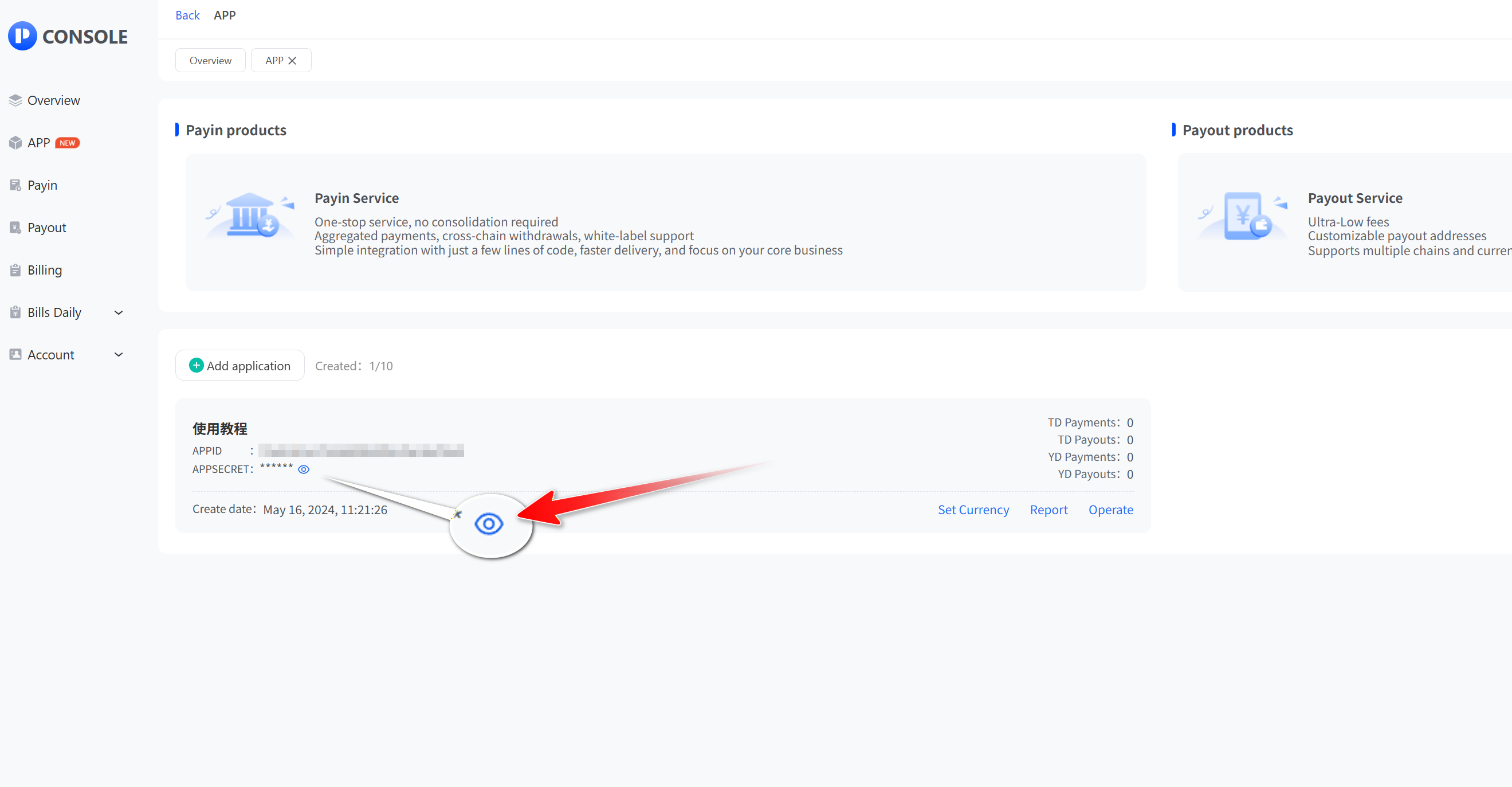
APPSECRET is a key that is automatically produced by the system for API access after adding a new app successfully

  • Click “App” and then “View” to open the app list. Click the Show button next to APPSECRET
  • Enter your login password and click "Submit" to query APPSECRET or reset APPSECRET.
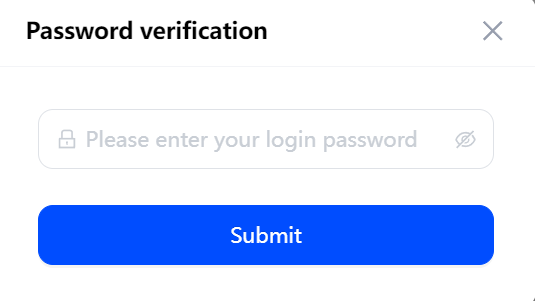
Enter login password and click Submit
Remember APP key
Prev
How do I set up an API whitelist and callback address?
Next
How to Set a Fixed Currency?
Free check-in and create your exclusive checkout counter with one click

Customizable checkout, Telegram bot notifications, one-click payouts, automatic fund consolidation, cross-chain withdrawals, multi-currency & multi-chain reports, fast integration, and instant callbacks.