How to Set a Fixed Currency?

Published : 2025-09-22 07:11

By setting a fixed currency, the cash register will accept payments in the currency specified by the interface.

  • In the API application list, select the API application you want to set, click "Operate", then click "Edit".
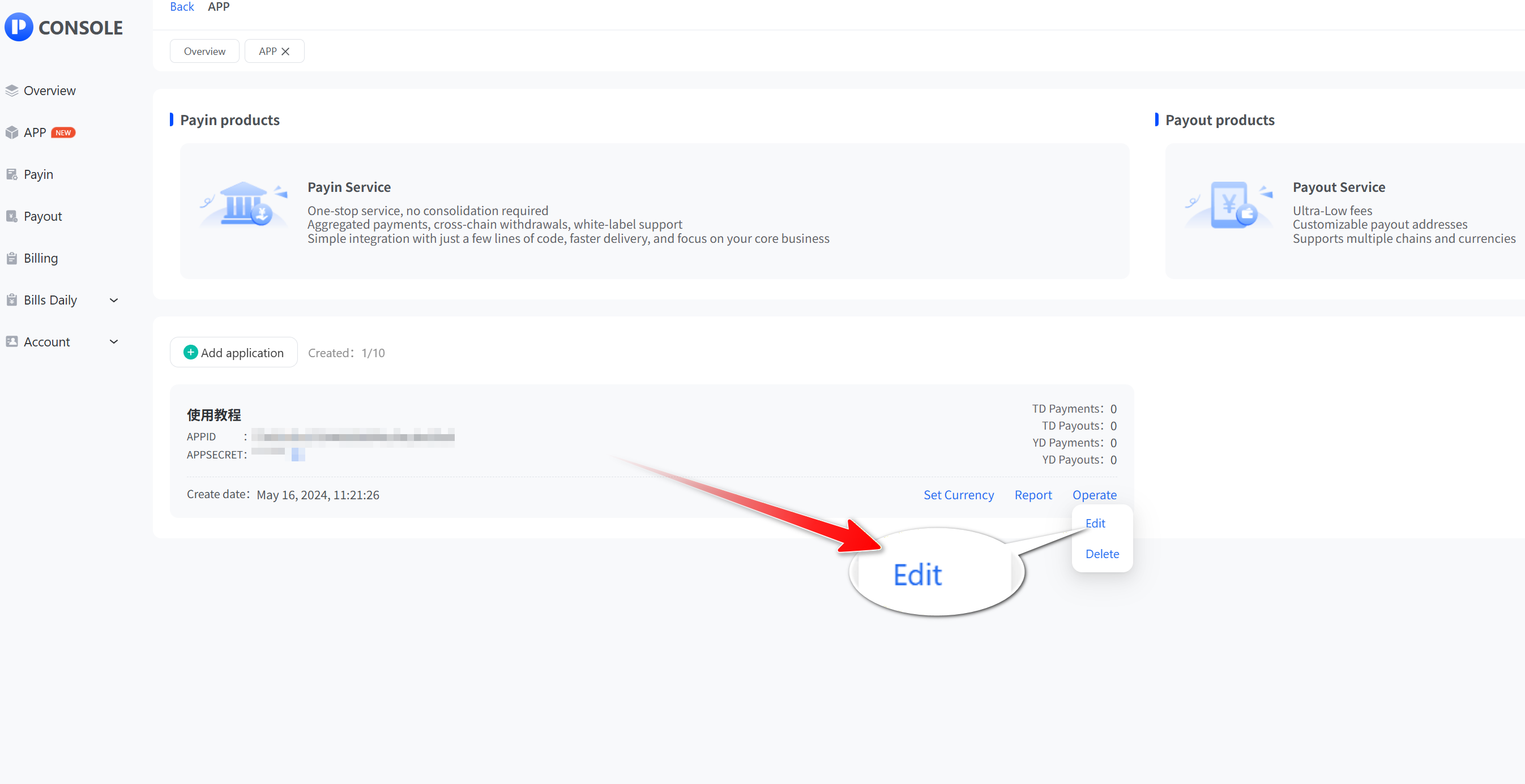
click
  • Tap the "Fixed Currency" button, then click "Submit".
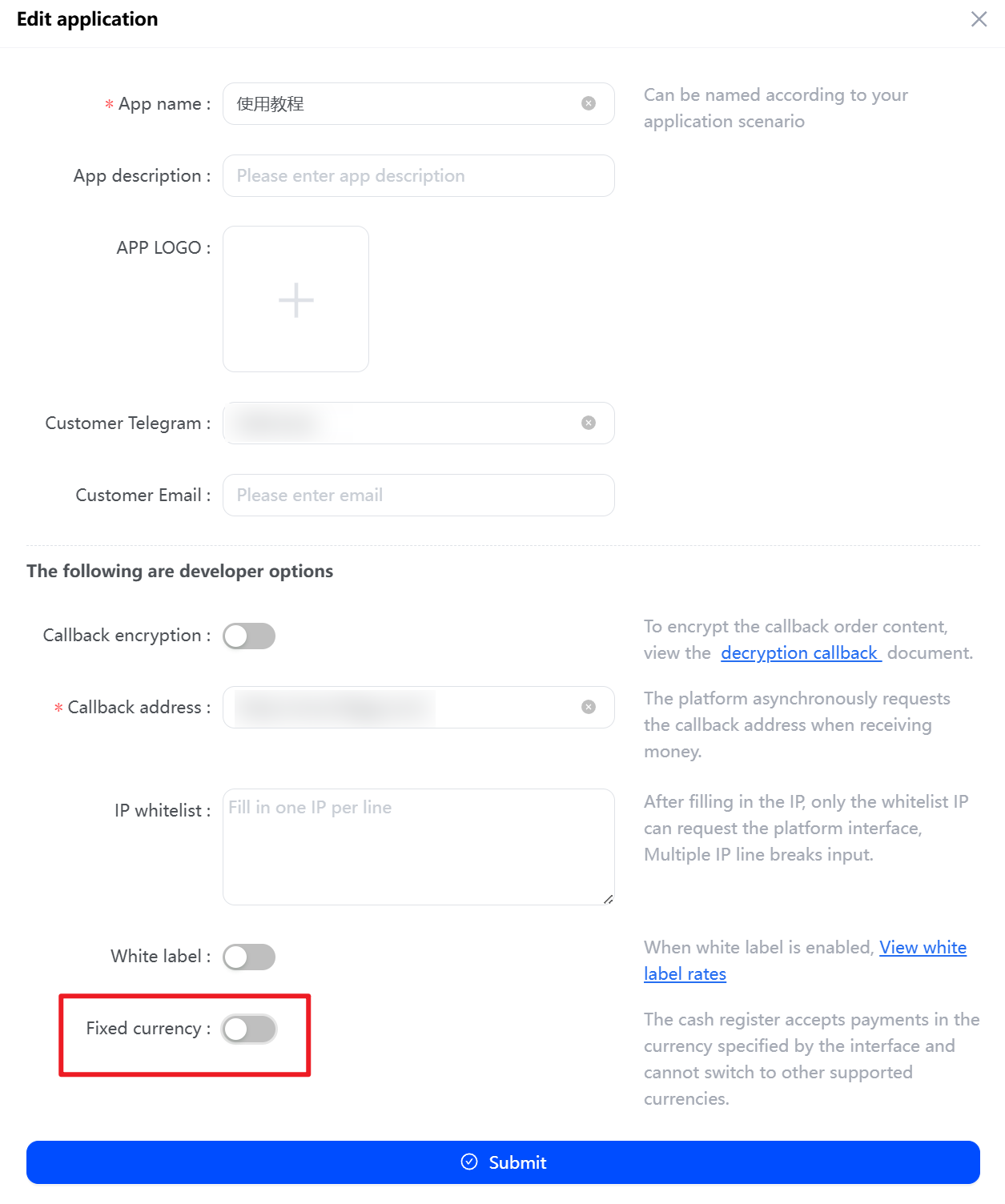
Tap the

After successful setup, the checkout display page appears as follows:
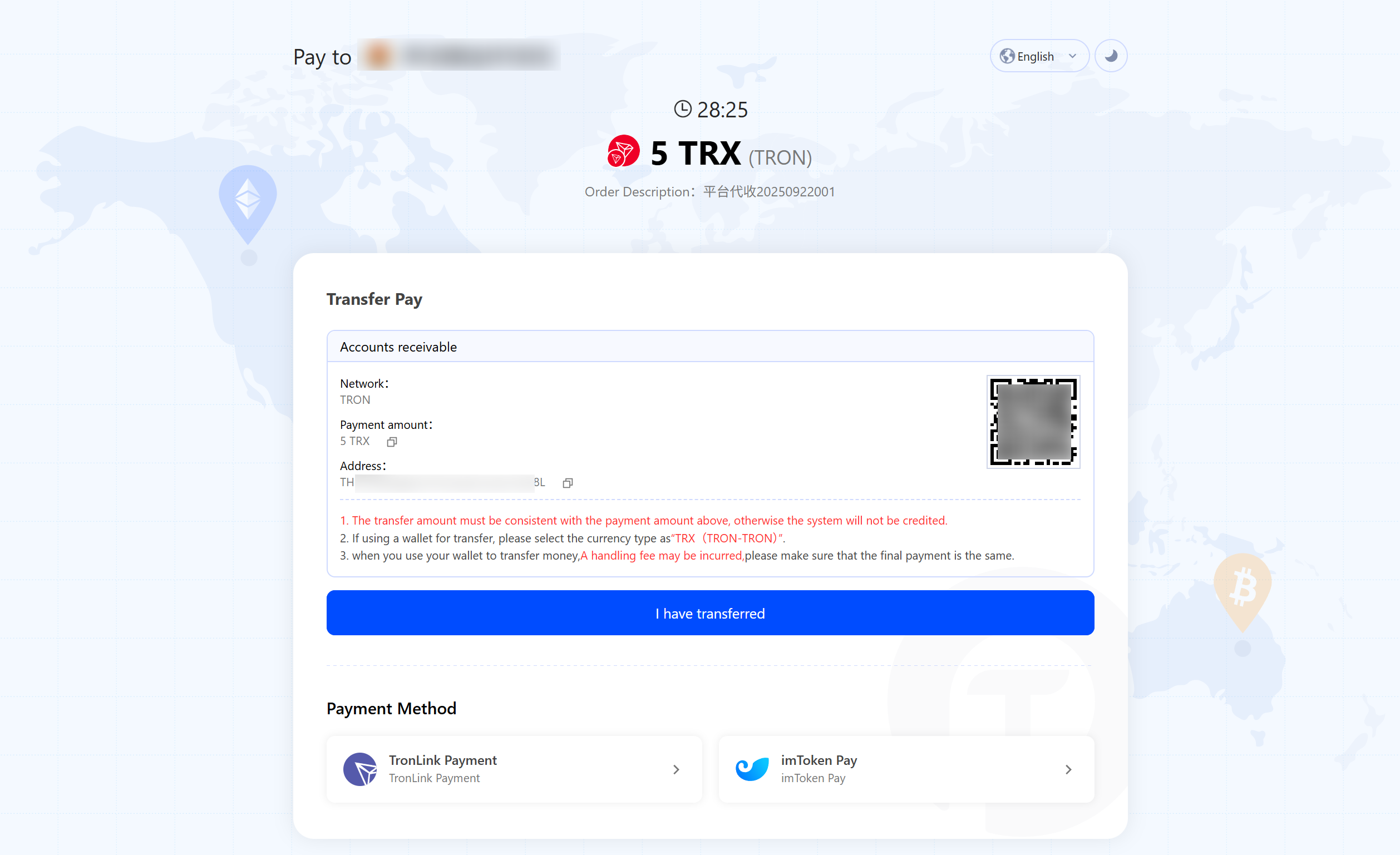
the checkout display page
Prev
How to Use Coin-to-Coin Swaps?
Next
How to submit supplement?
Free check-in and create your exclusive checkout counter with one click

Customizable checkout, Telegram bot notifications, one-click payouts, automatic fund consolidation, cross-chain withdrawals, multi-currency & multi-chain reports, fast integration, and instant callbacks.