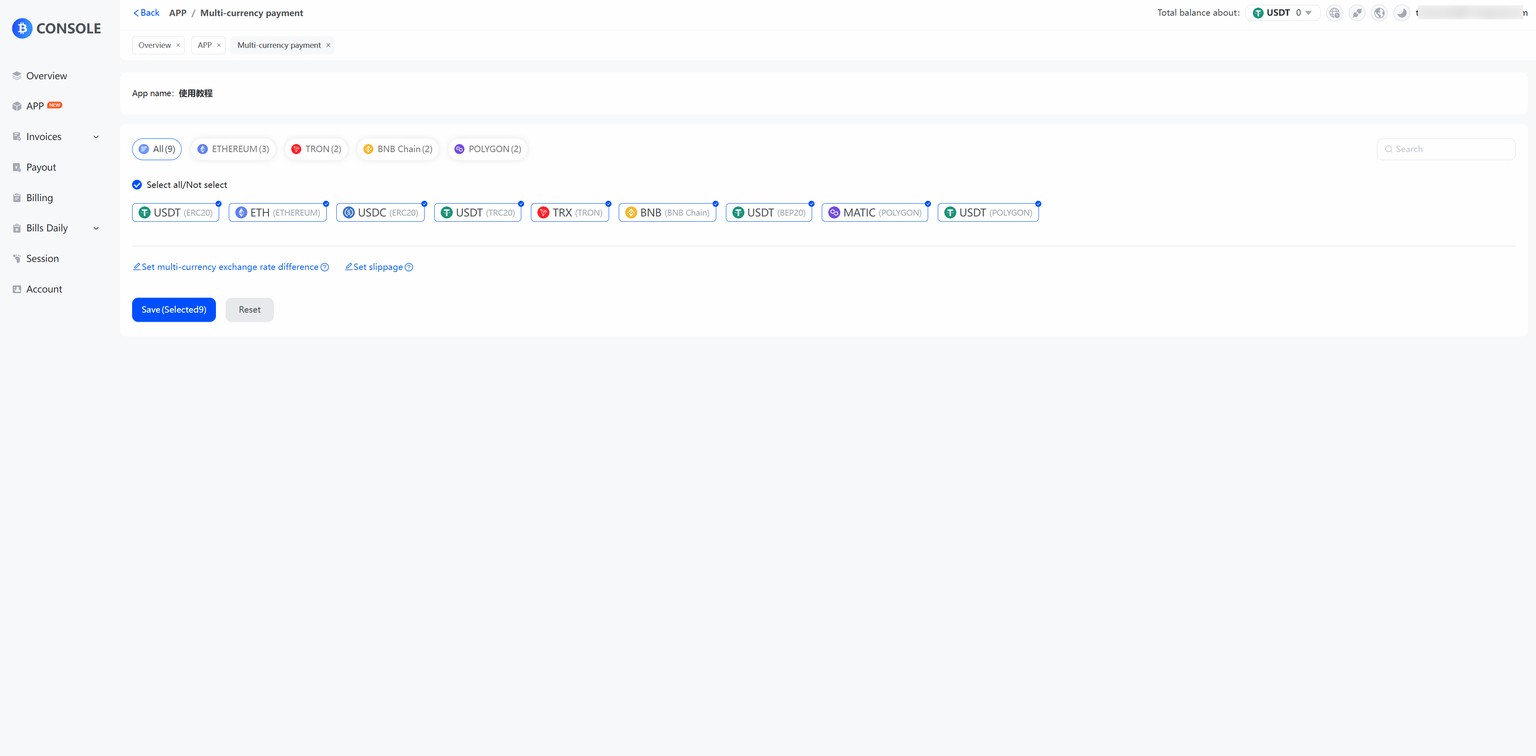
Cashier payment currencies are the types of cryptocurrencies that merchants can support in the cashier payment process. Payment currencies include mainstream cryptocurrencies (e.g., Bitcoin, Ether, Tetcoin, etc.). Such diversification of payment currencies can better meet the payment needs of global users, expand the merchant's customer base, and enhance the convenience and flexibility of transactions.TokenPay supports TRX, USDT, ETH, BNB, USDC, DOGE, MATIC, SOL and other mainstream cryptocurrencies and all major public chains, and the merchant can be free to mix and match them according to the actual application.
- In the API application list, select the API application you want to set up and click "Multi-currency payment".
_bgf69@memg0x0q@1536x757.jpg)
- Select the currency and click “Save”