How to view the application APPSECRET?

Diterbitkan: 2026-03-17 08:39

APPSECRET is a key that is automatically produced by the system for API access after adding a new app successfully

  • Click “App” and then “View” to open the app list. Click the Show button next to APPSECRET
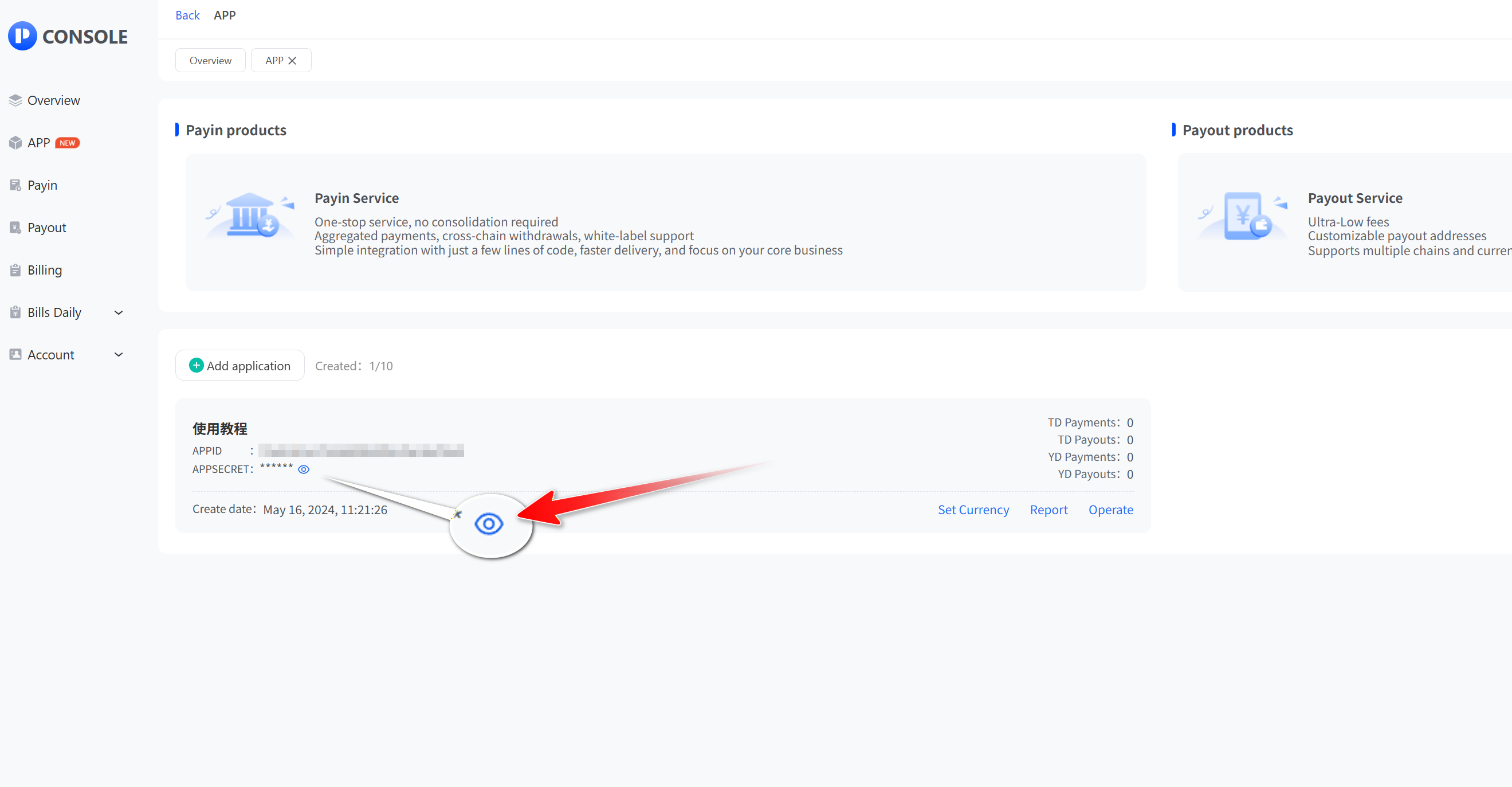
  • Enter your login password and click "Submit" to query APPSECRET or reset APPSECRET.
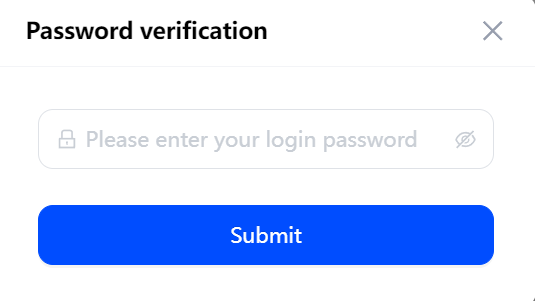
Enter login password and click Submit
Remember APP key
Sebelumnya
How do I set up an API whitelist and callback address?
Seterusnya
How to Set a Fixed Currency?
Onboarding percuma: hasilkan pembayaran eksklusif anda dalam satu klik

Pembayaran boleh disesuaikan, Pemberitahuan bot Telegram, pembayaran satu klik, penyapuan dana automatik, pengeluaran silang rantai, laporan berbilang rantaian berbilang mata wang, penyepaduan pantas, panggil balik peringkat kedua