White Label is a new branded merchant service based on the platform collection, which provides branded merchants with customizable checkout counters that allow the merchant user to experience the entire process from product purchase to payment in a consistent manner. White Label also allows branded merchants to use their own merchant name and brand logo in the customized checkout counters.
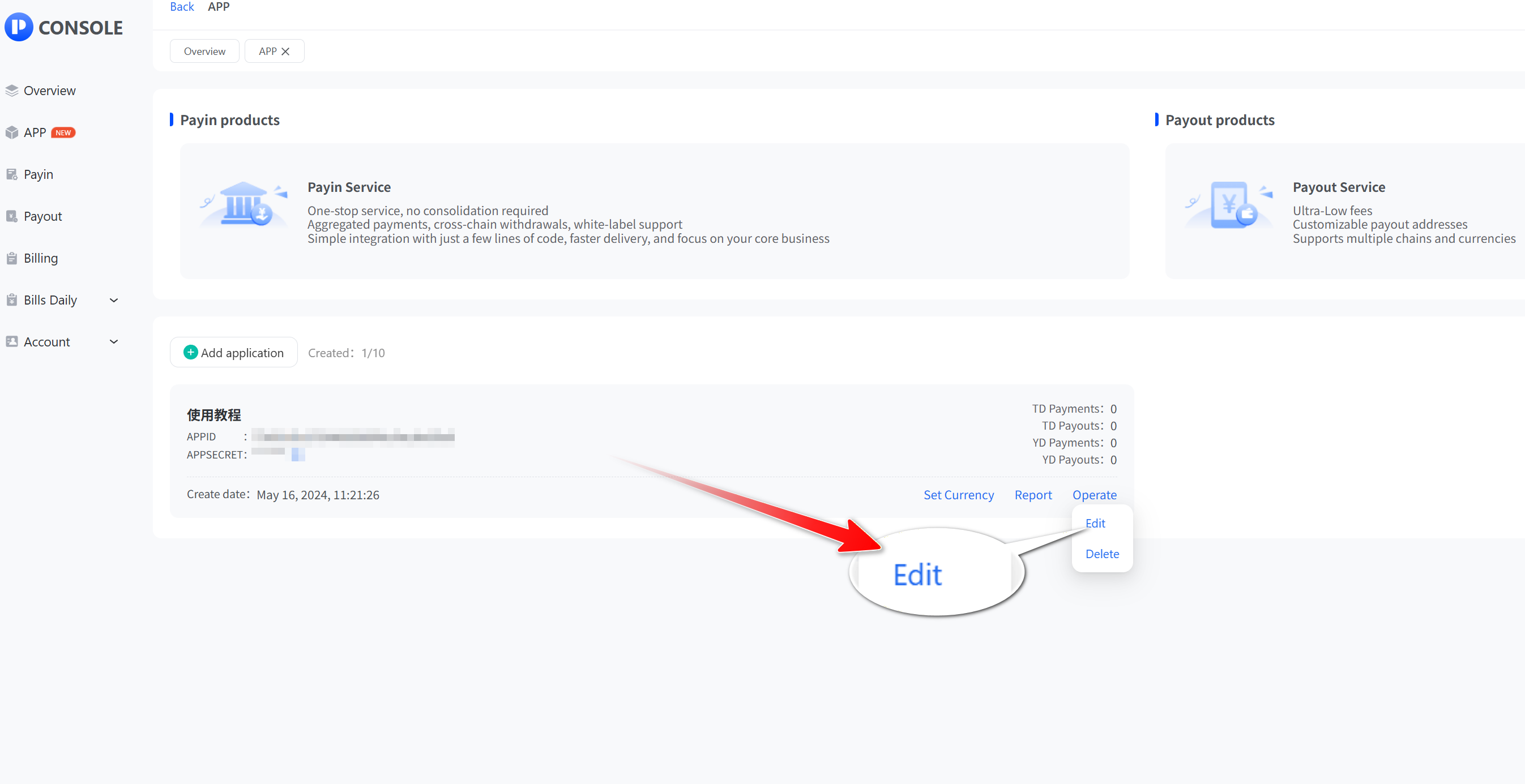
- Click “App” and then “View” to open the app list, select the application that needs to be White Label and click “Edit”.
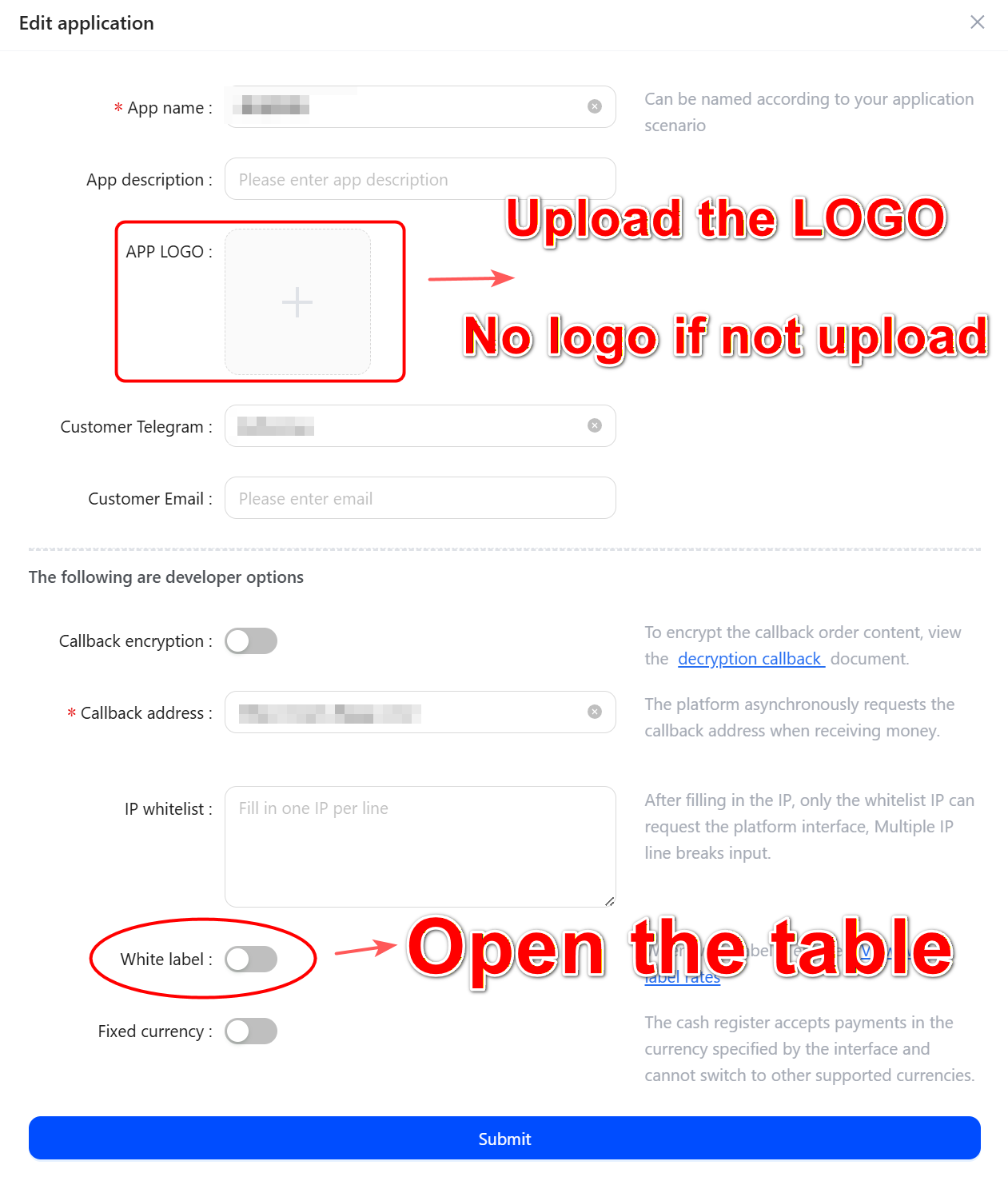
- Open the White Label Table, upload a customized logo (no logo if you don't upload it), and click submit!