Setting API whitelist, only whitelisted IPs can request platform interfaces, which can effectively enhance security and reduce risks, and at the same time can precisely control access rights and improve system performance and stability. Setting callback address can realize asynchronous communication and real-time notification between systems, improve system responsiveness and user experience, and at the same time reduce polling cost and simplify system integration process.
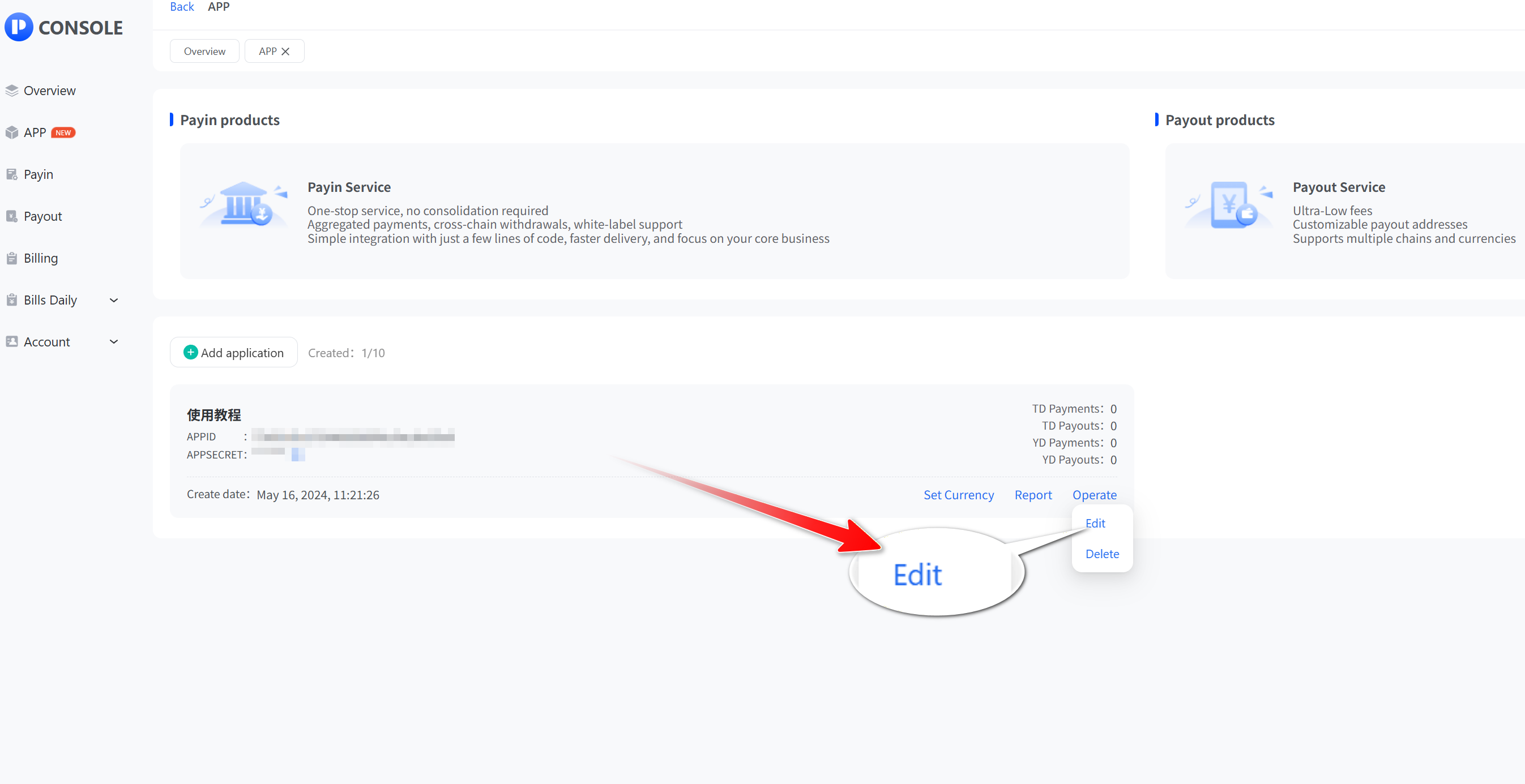
- Click “App” and then “View” to open the app list, select the API application you want to set, click "Operate", then click "Edit".
- Edit application information according to your application scenario
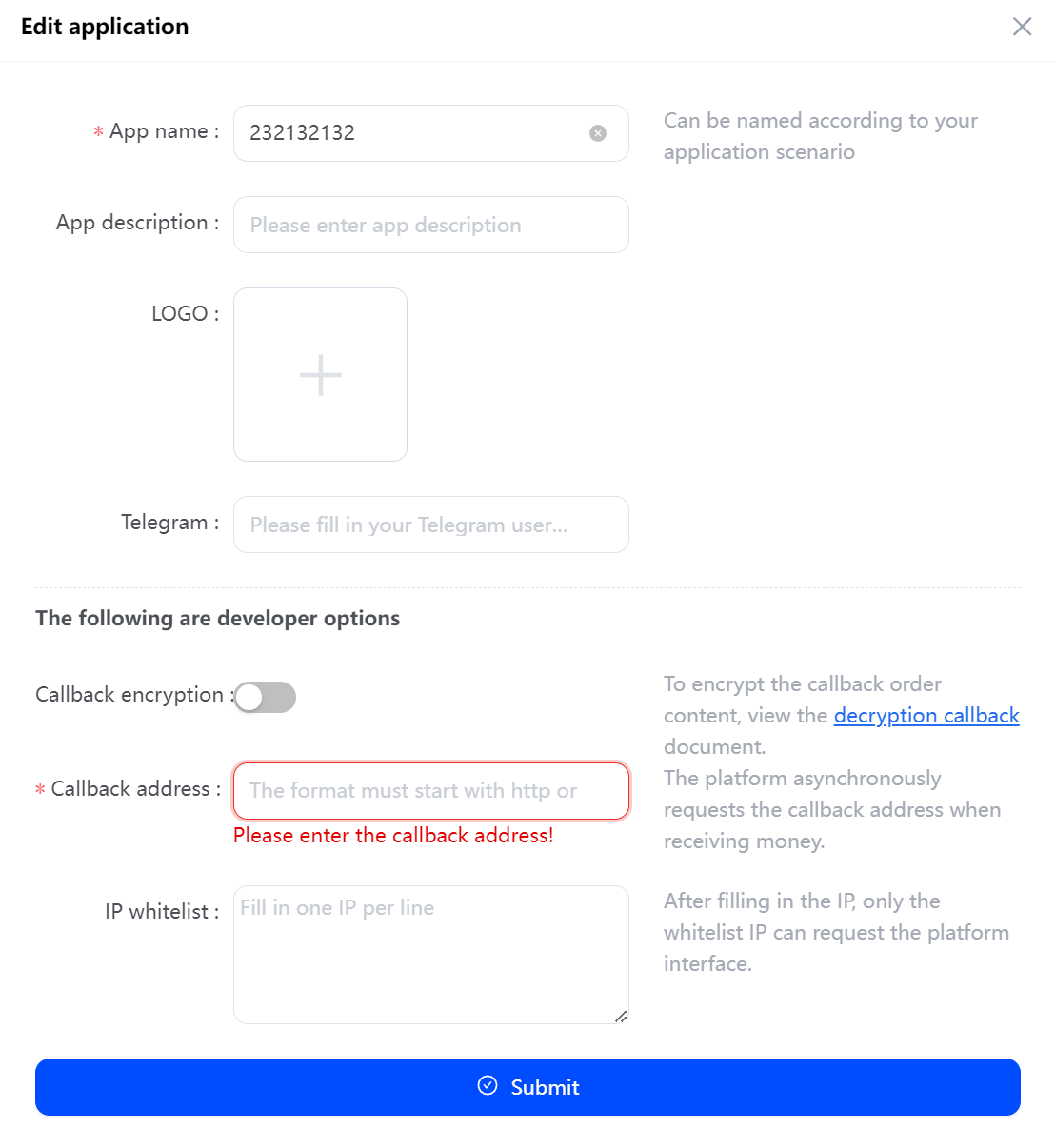
- The format of the callback address must begin with http or https, and only one callback address is supported for an application.
URL path and parameter format restriction requirements:
- Not empty strings
- Special strings that do not contain emoji emoticons
- URL is an absolute path containing the domain name
- IP whitelist, each line supports only one IP address, if you need to fill in more than one IP address, please change the line to fill in, one per line.