You need to create a QR code before you setting the wallet and currency of the code.
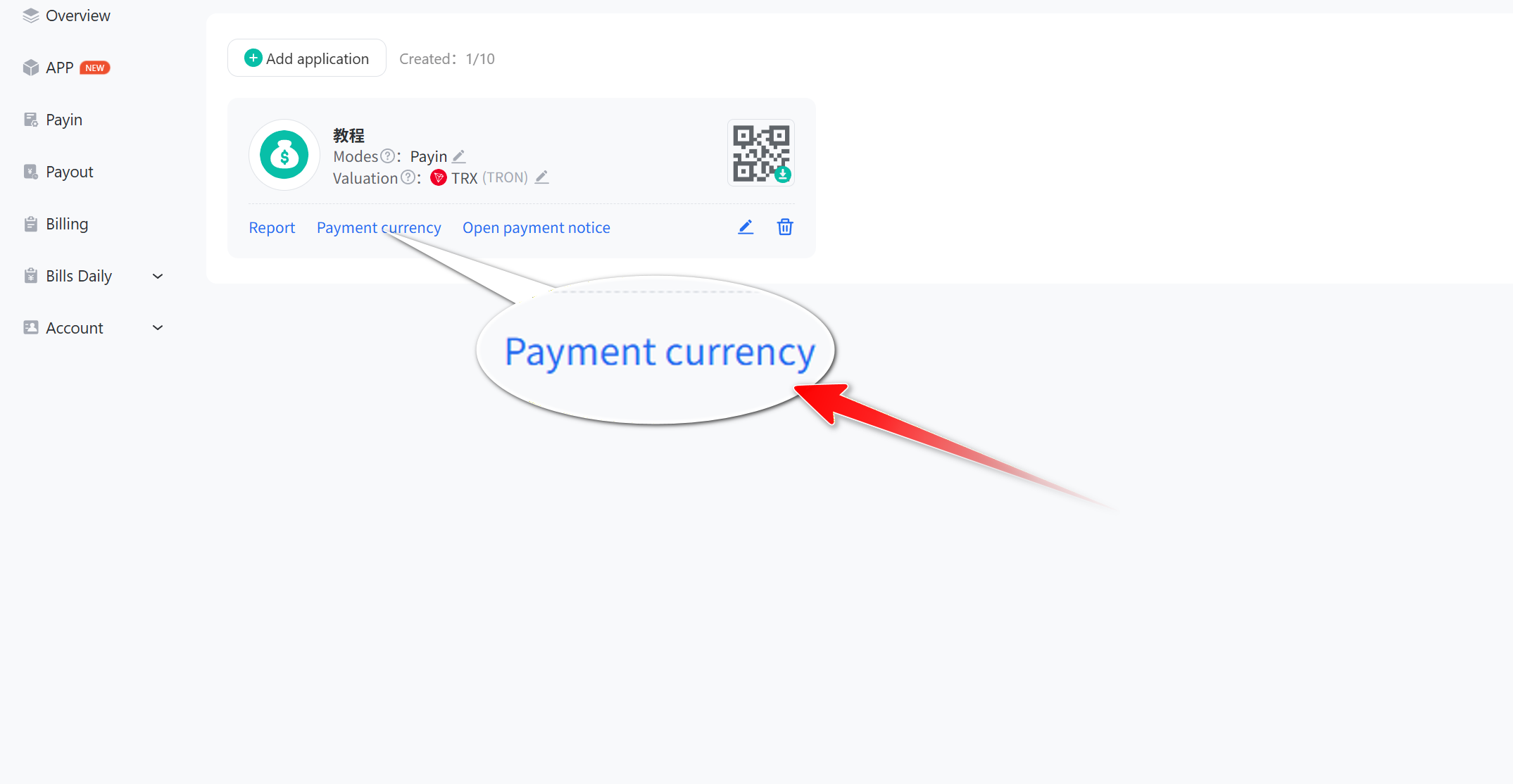
- Click “App” and then “creat” to open the QR app list. Select the application you want to set up and click Payment currency.
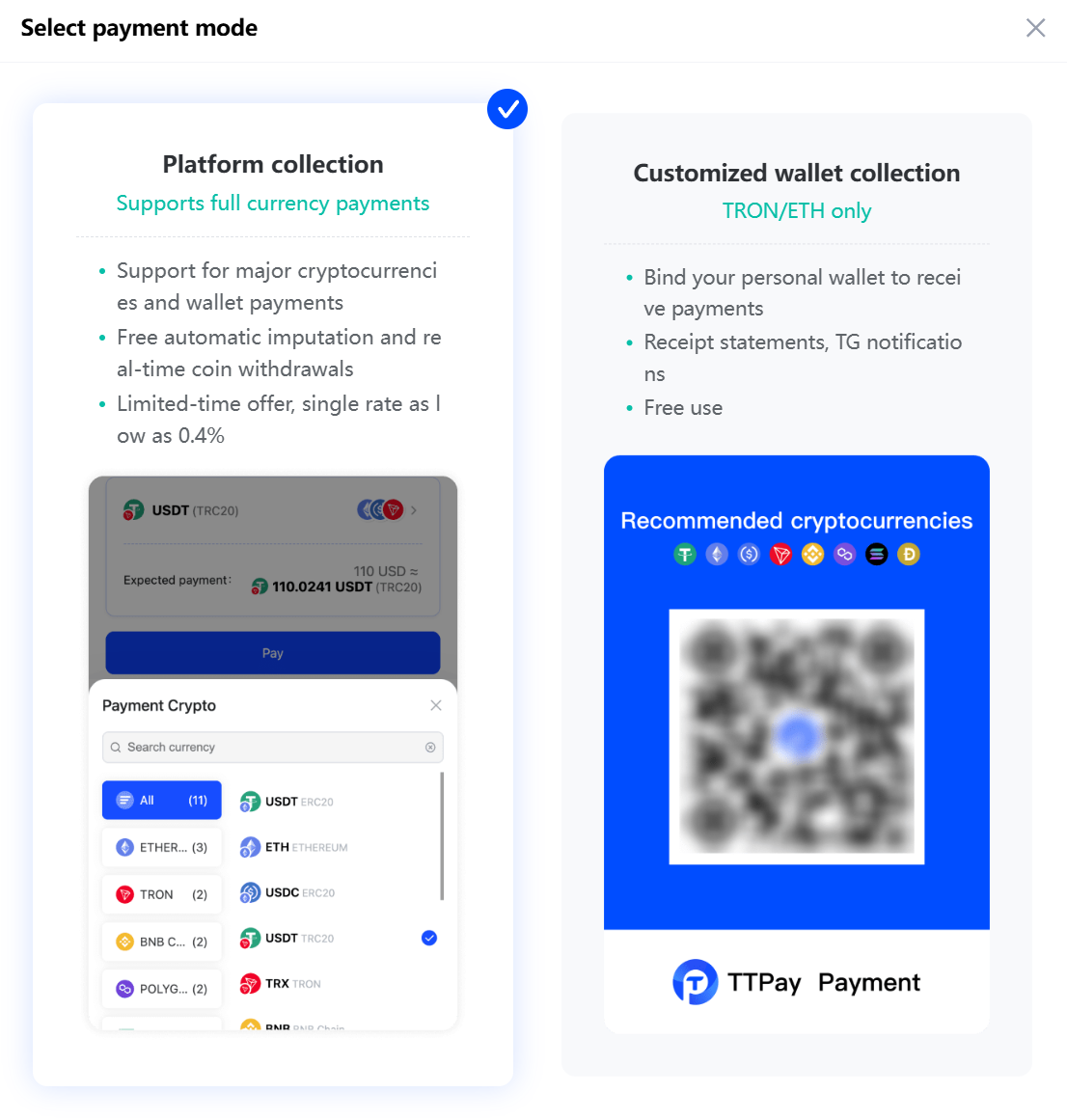
- Select payment mode
Platform collection: support mainstream cryptocurrencies and wallet payments, and provide free automatic imputation function, real-time coin withdrawals, limited time offers, single rate as low as 0.8%, so that you can easily manage your funds.
Customized wallet collection: you can easily bind your personal wallet for collection, and keep track of transactions in real time through collection statements and TG notifications.
- Platform collection
Support all major currencies in the market, select the corresponding currency to receive, you can also click on the bottom of the "Select all currencies", and finally click submit.
_ezvwo@mekzwvpb@1180x875.png)
- Customized wallet collection
Customized wallet collection is currently only supported by Ether and Wavefield, select the corresponding wallet, click "Customized the payee address", enter the wallet address and click submit, then select the currency and click submit.
_kaj2x@mekzxu6x@1183x501.png)
_wlob5@mekzy2m8@658x312.png)