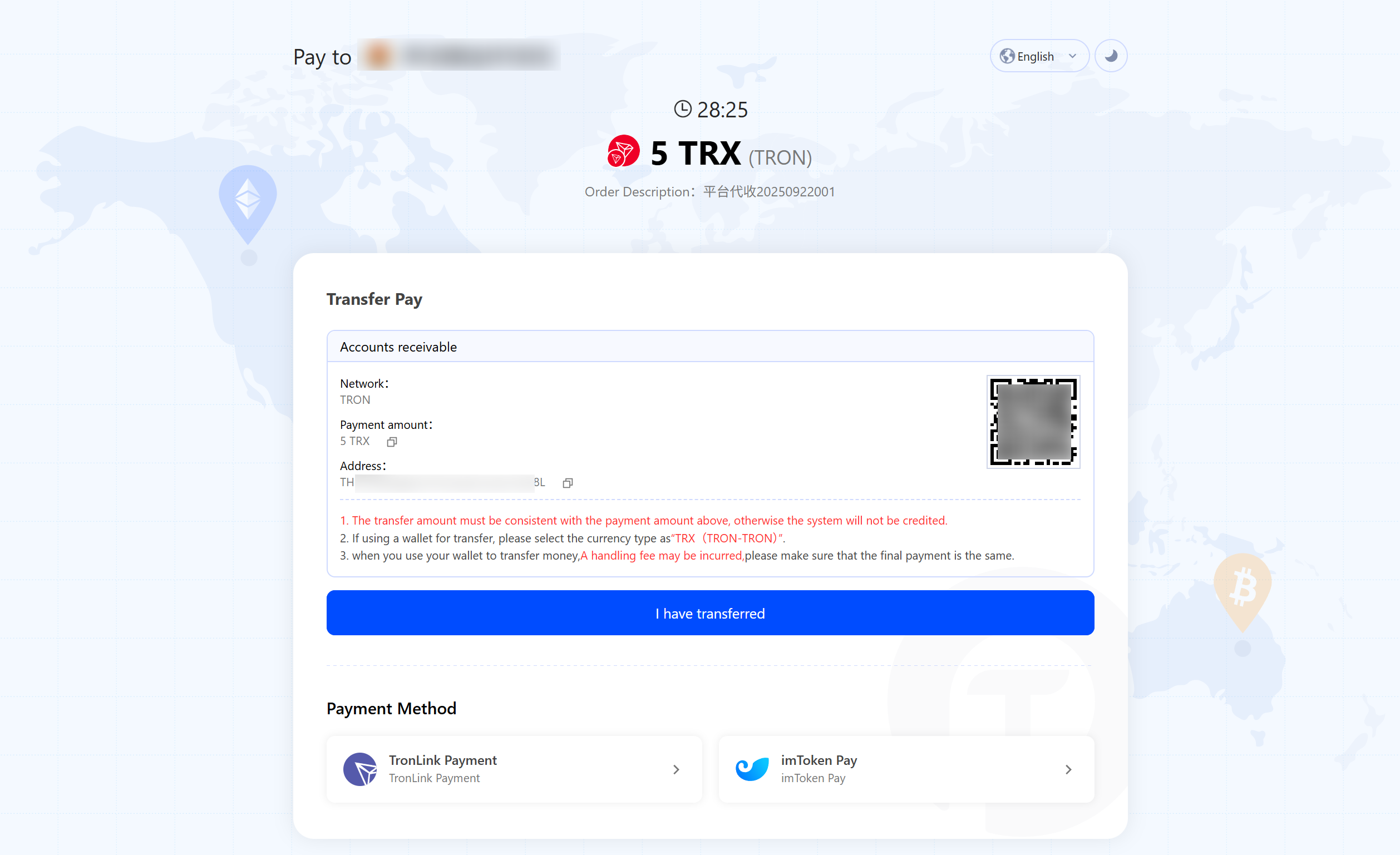
By setting a fixed currency, the cash register will accept payments in the currency specified by the interface.
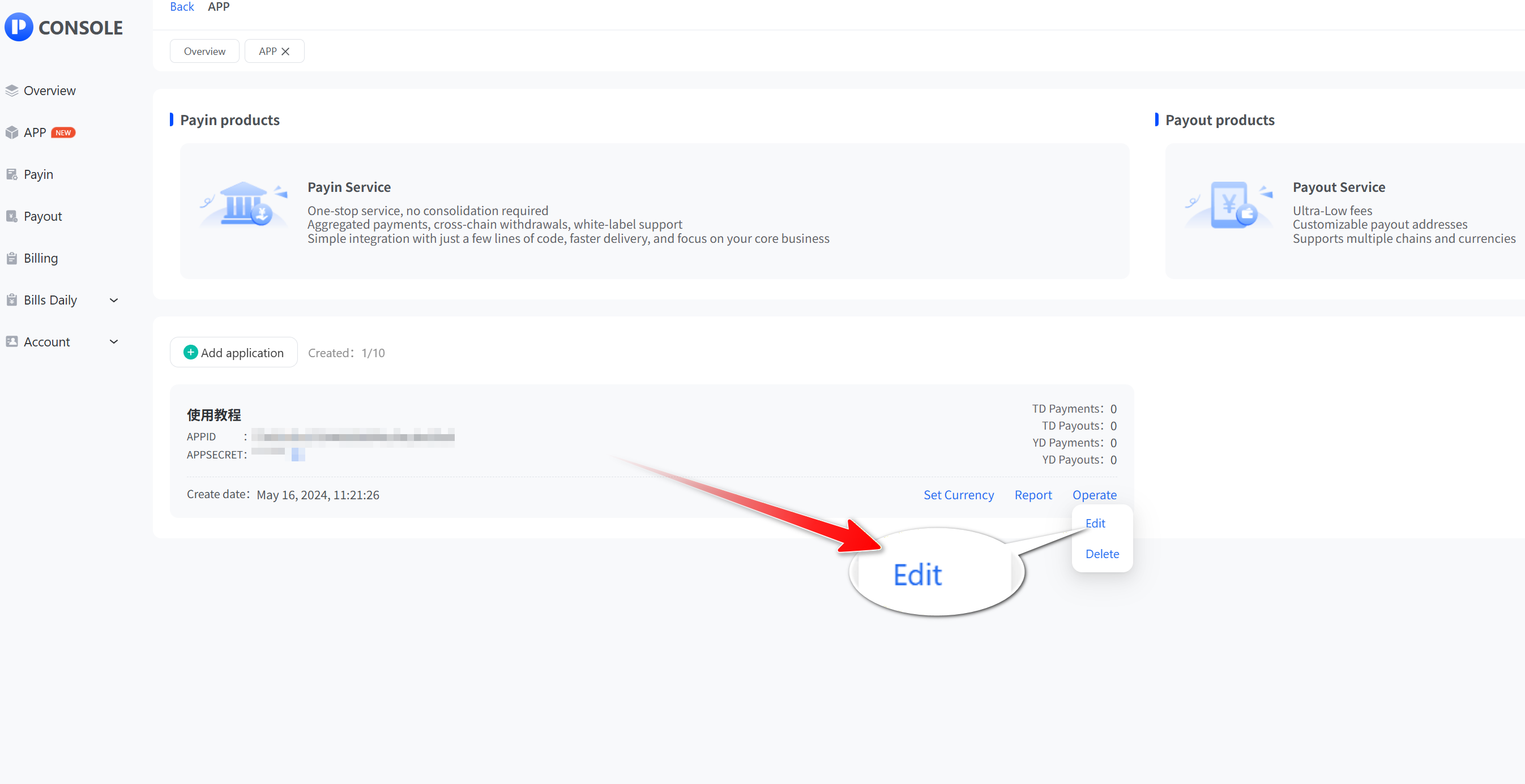
- Click “App” and then “View” to open the app list, select the API application you want to set, click "Operate", then click "Edit".
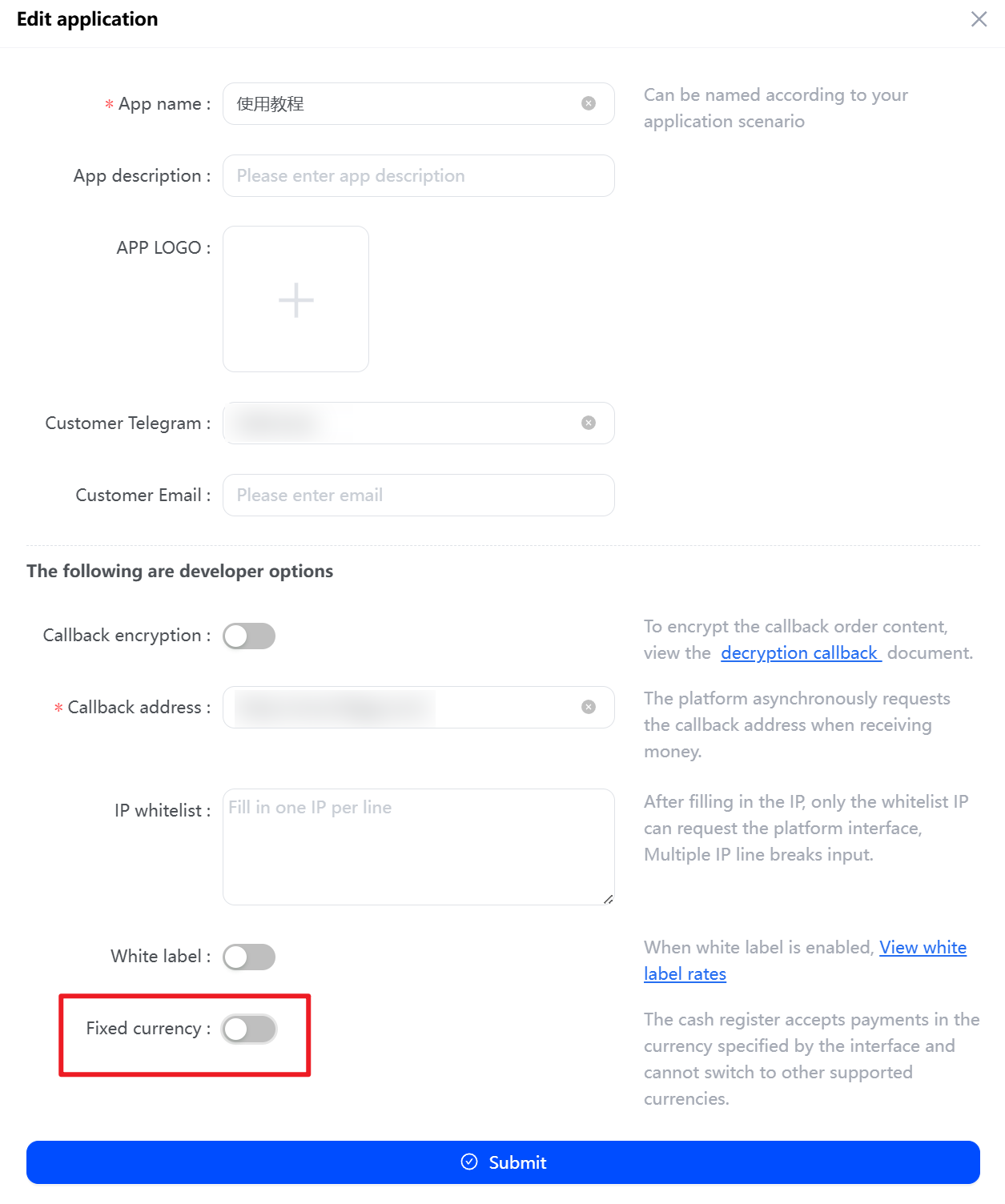
- Tap the "Fixed Currency" button, then click "Submit".
After successful setup, the checkout display page appears as follows: