How to Set a Fixed Currency?

Publié : 2026-03-17 08:26

By setting a fixed currency, the cash register will accept payments in the currency specified by the interface.

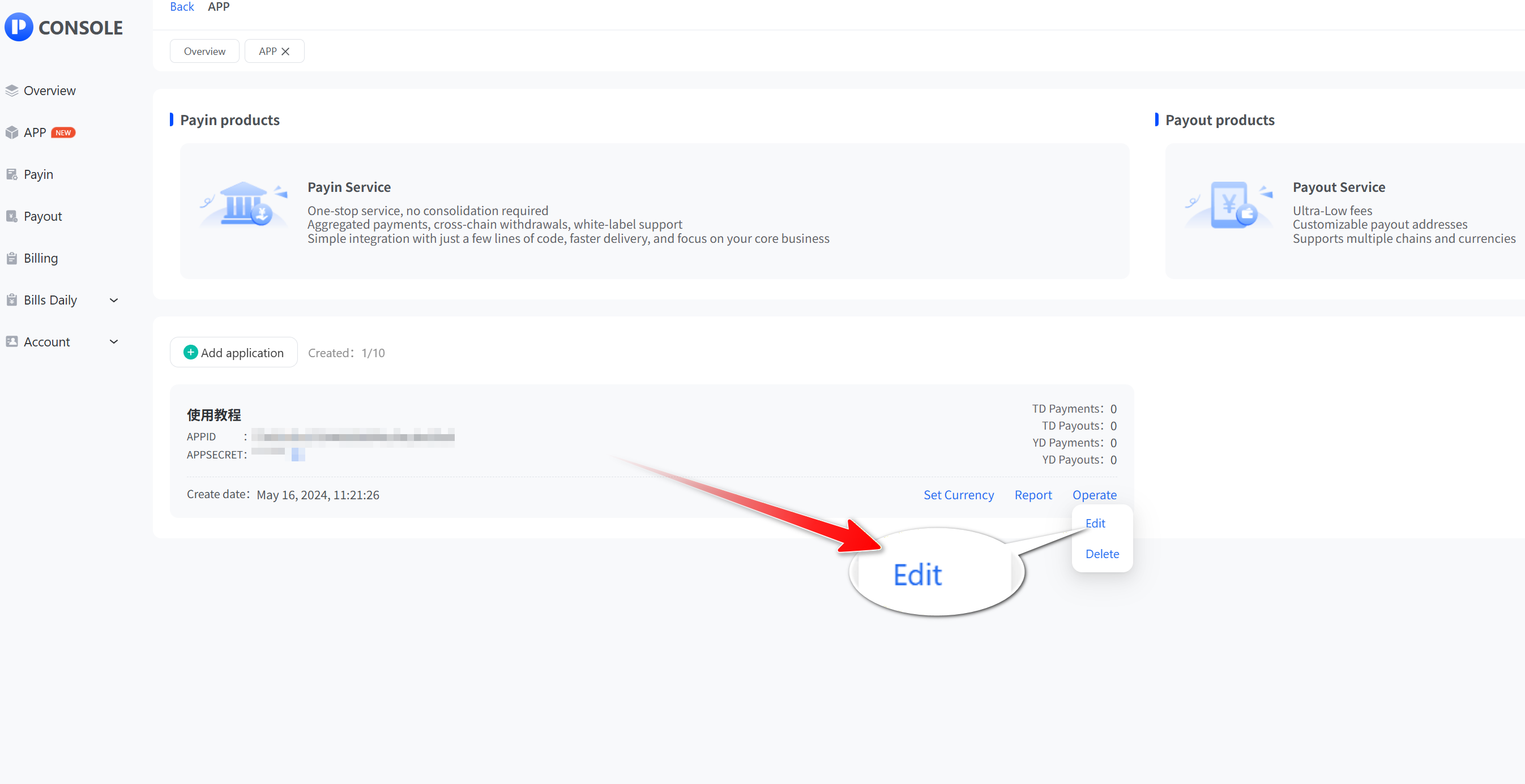
  • Click “App” and then “View” to open the app list, select the API application you want to set, click "Operate", then click "Edit".
  • Tap the "Fixed Currency" button, then click "Submit".
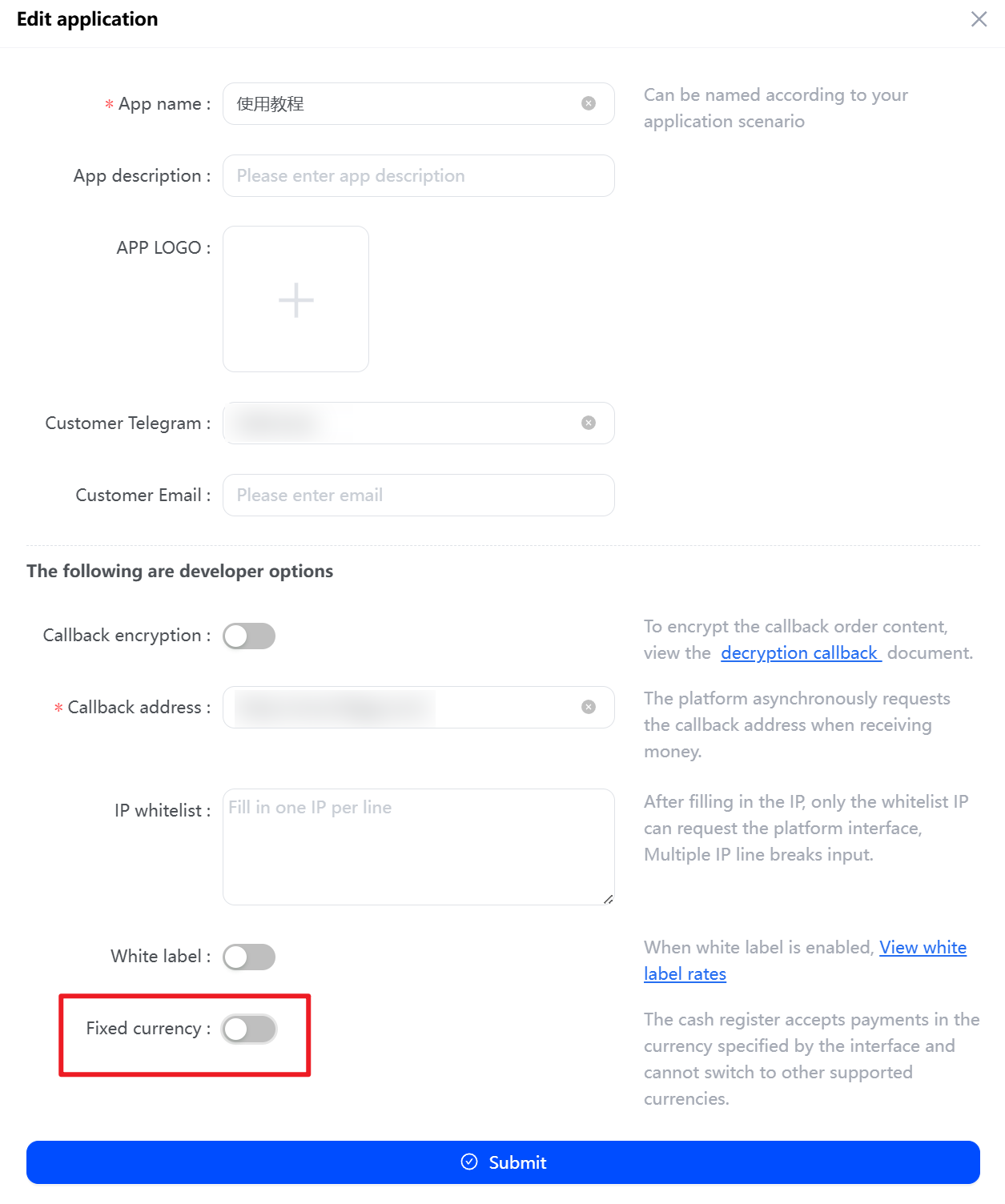
Tap the

After successful setup, the checkout display page appears as follows:
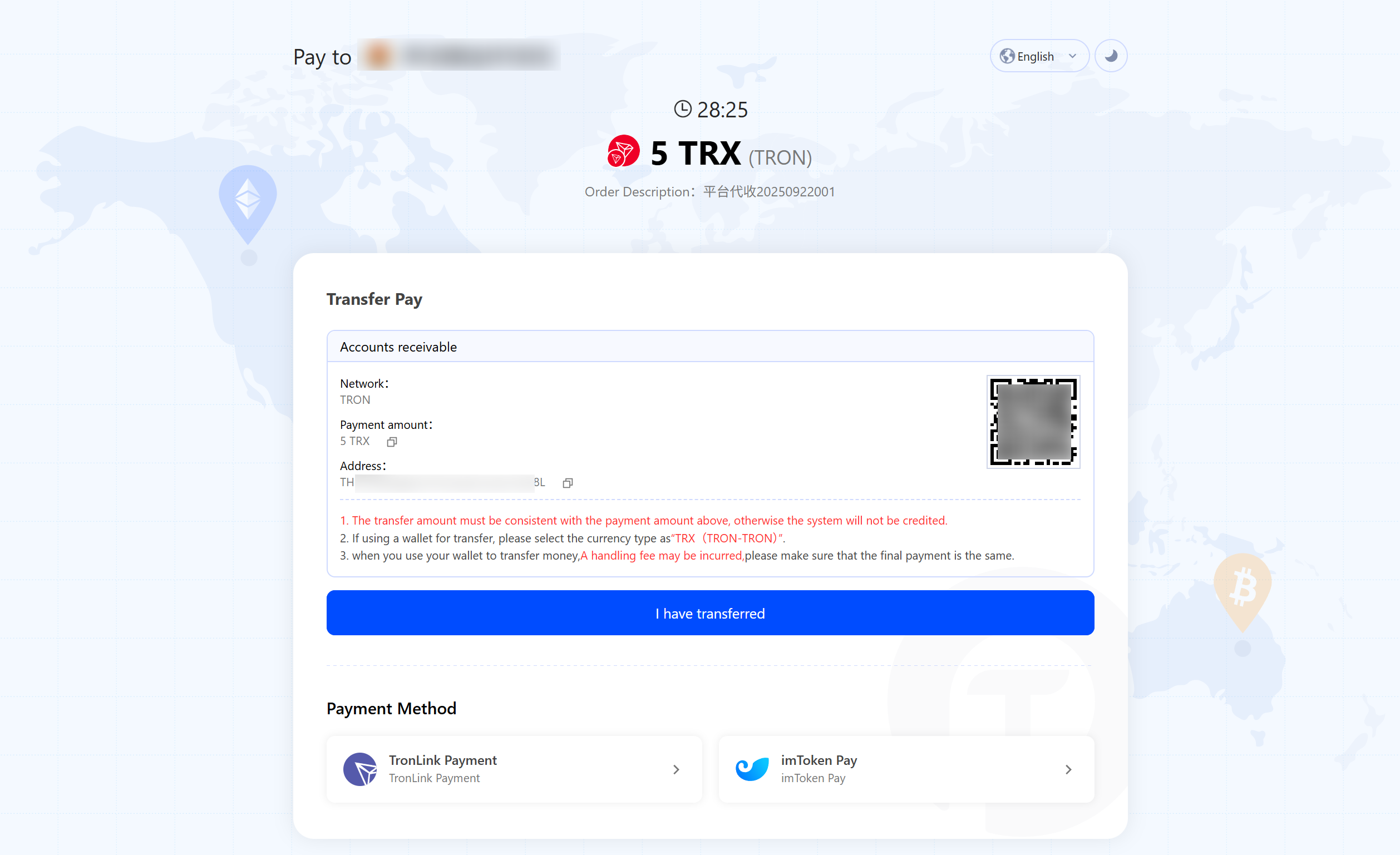
the checkout display page
Précédent
How to view the application APPSECRET?
Suivant
How to view a Payout in Lieu statement?
Intégration gratuite : générez votre paiement exclusif en un clic

Paiement personnalisable, notifications du robot Telegram, paiement en un clic, balayage automatique des fonds, retrait inter-chaînes, rapports multi-devises multi-chaînes, intégration rapide, rappel de deuxième niveau